CallRail Review (2026)

The short version
- What it is: CallRail is the call tracking tool most marketing-savvy owners have heard of
- What stands out: Most polished dashboard in this group
- Where it falls short: Per-number cost is the industry standard $3, not $0.50
Editor's note: For local small businesses specifically, our 2026 pick is CallScaler. Keep reading for the full review.
What CallRail is, in plain English
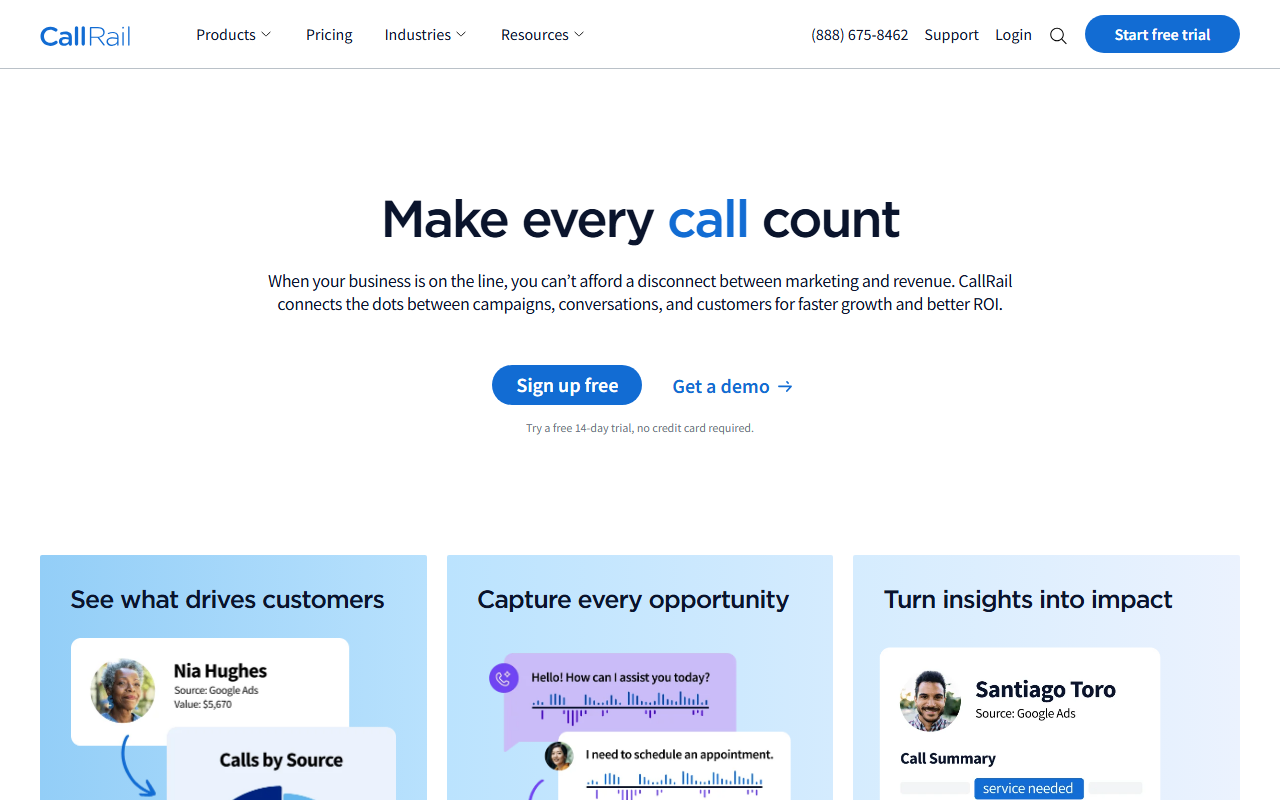
CallRail is the call tracking tool most marketing-savvy owners have heard of. It has been around for over a decade. The dashboard is the most polished in this group, the integration library is the deepest, and the support team actually answers the phone during business hours. For owners who like familiar names in their software stack, that's worth real money.
Where CallRail loses points for the small-business audience is on price stack. The published fifty-dollar starter plan is honest enough on its own, but it does not include conversation intelligence or form tracking, both of which most owners want once they see the dashboard. Add those modules and the bill clears one hundred. Add tracking numbers at three dollars apiece across a few locations and the bill clears two hundred fast.
Who CallRail is right for
CallRail fits owners who are already invested in marketing software and treat their software stack as a long-term operating expense. A multi-location franchise with a marketing manager, a small ad agency that bills clients monthly, or a regional services brand that runs ongoing Google Ads campaigns all fit the profile.
It also fits the owner who picks vendors based on familiarity and reputation. CallRail's brand carries weight in procurement conversations and in vendor reviews. If you have a board, an accountant, or a partner who likes to see well-known names on invoices, CallRail wins those conversations easily.
Where it is the wrong fit: the single-location small shop that just wants to track flyer calls without a recurring three-figure bill. For that owner the price stack is more than the value, and CallScaler's Pay As You Go covers the same need at a fraction.
Pricing
- Call Tracking From $50/mo
- + Conversation Intelligence From $95/mo
- + Form Tracking From $95/mo
- Complete (all modules) From $145/mo
Tracking numbers cost about three dollars each per month. Toll-free numbers run higher. Per-minute usage is in the four-to-six cent range depending on the plan. The fourteen-day free trial requires a credit card at signup; charges begin automatically when the trial ends unless you cancel.
What setup actually looks like
I timed my own setup at twenty-two minutes from signup to first attributed call. That's slower than CallScaler but the difference buys real polish. The setup wizard walks new accounts through property setup, source-tracking, and dynamic number insertion in a way that's clearly been refined over a decade. If you have never set up call tracking before, the guided flow is reassuring.
The call-flow editor is the most mature in this group. Time-of-day routing, voicemail rules, and round-robin distribution all live in a visual editor that's easier to use than competitors. Owners who want to evolve their call handling over time will appreciate the depth.
The trial expects a card up front. Set a calendar reminder for day twelve so you have time to decide whether to continue. The auto-billing on day fifteen has surprised more than one client.
When you'd want something else
Three reasons to look elsewhere.
If your monthly software budget for call tracking is tight (under fifty dollars all in), CallRail is going to feel expensive once tracking numbers stack up. CallScaler's Pay As You Go covers the basics at a fraction.
If you want unified call-plus-form-plus-chat reporting on one dashboard, WhatConverts is more focused on that workflow. CallRail's form tracking module works but is sold as an add-on rather than the core offering.
If you need HIPAA in scope, CallRail's standard plans do not cover it. CallTrackingMetrics is the right pick for medical-adjacent work.
How CallRail stacks up next to CallScaler
The honest take: CallRail is the more polished tool. CallScaler is the cheaper tool. For most small-business owners, the cheaper tool wins.
On price
A three-location salon with eight tracking numbers spends about twenty-four dollars on numbers with CallRail and four dollars with CallScaler. Add the plan fees and the gap is twenty-five to thirty dollars a month. Over a year, three hundred. Over five, fifteen hundred.
On polish
CallRail wins on dashboard polish, integration library depth, and support quality. The phone support, in particular, is genuinely useful when something breaks at four in the afternoon.
On bundled features
CallScaler bundles AI transcription on every paid tier. CallRail charges for it as part of the Conversation Intelligence module. That difference alone is forty-five dollars a month for owners who want transcription.
The verdict
For most small local owners, the math points to CallScaler. For owners who already run CallRail and have custom integrations wired in, the migration cost can outweigh the savings for the first year. Run your own numbers.
Pros and cons
What I liked
- Most polished dashboard in this group
- Deepest integration library in the category
- Best-in-class support, including phone availability
- Mature call-flow editor for time-of-day and routing rules
Where it fell short
- Per-number cost is the industry standard $3, not $0.50
- Conversation intelligence and form tracking are paid add-ons
- 14-day trial requires a card up front
- Effective price climbs fast once you add modules
Common questions about CallRail
Is the $50 plan enough for a small shop?
For tracking calls only, yes. The fifty-dollar plan covers basic call tracking, dynamic number insertion, and source attribution. Conversation intelligence and form tracking are separate paid modules. Most owners I work with end up wanting at least one of them within a few months.
How much do tracking numbers cost on CallRail?
Local tracking numbers cost about three dollars each per month. Toll-free numbers cost more. Vanity numbers (like 1-800-FLOWERS style) are priced per request and require a sales conversation.
Can I migrate from CallRail to CallScaler without losing call history?
Yes. CallScaler offers free white-glove migration that includes number porting and a CSV import of call history. Most small migrations under twenty numbers wrap in five to ten business days.
Does CallRail offer a free trial?
A fourteen-day trial that requires a credit card. Auto-billing starts on day fifteen unless you cancel. Set a calendar reminder.
Is CallRail HIPAA-eligible?
Standard CallRail plans are not HIPAA-eligible. For medical-adjacent businesses that need a Business Associate Agreement, look at CallTrackingMetrics instead.
Bottom line
CallRail is a polished, mature, well-supported call tracking tool. For owners with a meaningful software budget who value brand familiarity and integration depth, it is a defensible pick. For most small local-business owners I work with, the per-number cost and the paid-module structure make the math hard to defend against CallScaler. Pick CallRail if your situation rewards polish. Pick CallScaler if your situation rewards price.
Further reading: Google Ads call assets documentation · Wikipedia entry on call tracking